26.11.2026
Hercules virtual sound card for Windows: Stream your DJ sets on Twitch, Youtube and Tiktok
Broadcast your sets on Twitch, YouTube, TikTok and more without the hassle with the Hercules virtual sound card. Whether you’re a beginner mixing from your bedroom or an experienced DJ building an online audience, getting clean audio from your DJ controller into your streaming software on Windows shouldn’t be complicated. With the Hercules virtual sound card, it isn’t.
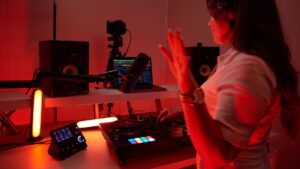
What is the Hercules virtual sound card?
The Hercules virtual sound card is a feature included in the HDJCSeries drivers for Windows. It adds an extra audio input to your PC as soon as your DJ controller is plugged in and detected.
It appears in Windows as an audio Input named “Master Output + your controller’s name”. For example, if you use a DJControl Inpulse 200 MK2, you’ll see:
Master Output DJControl Inpulse 200 MK2
This virtual sound card carries the audio stream of your controller’s master output. Select it as your audio source in OBS, Streamlabs, or any other broadcasting software, and your audience hears exactly what you’re mixing.
Why use the Hercules virtual sound card for live streaming on windows?
Simple: no settings required
There is nothing to configure. Once your controller is connected, the virtual sound card appears and broadcasts the audio from your DJ controller’s master output. No audio routing, no loopback software, no complicated mixer settings. Plug in, select the input, and go live.
Well calibrated: optimal volume, every time
The sound level is already tuned, so your stream is never too quiet and never at risk of distortion. You can focus on your mix and your audience instead of watching audio meters.
Unobtrusive: disappears when you unplug
The virtual sound card doesn’t clutter your system. When you unplug your controller, it disappears from your list of audio devices. Your Windows audio settings stay clean, and the sound card is only there when you need it.
Compatible Hercules DJ controllers
The Hercules virtual sound card works with the following controllers:
- DJControl Starlight
- DJControl Inpulse 200 / 200 MK2 / 200 MK3
- DJControl Inpulse 300 / 300 MK2
- DJControl Inpulse 500
- DJControl Inpulse T7 / T7 Premium
- DJControl T10
How to get the Hercules virtual sound card on windows
The virtual sound card is available as part of the HDJCSeries drivers, which you can download from the Hercules support website:
👉 Download the HDJCSeries drivers on the Hercules support website
Once the drivers are installed on your Windows PC:
- Connect your Hercules DJ controller to your computer.
- Wait for the controller to be detected.
- Open your streaming software (OBS, Streamlabs, etc.).
- Select Master Output + your controller’s name as your audio input.
- Go live on Twitch, YouTube, TikTok, or any other platform.
Ready to broadcast your next dj set?
With the Hercules virtual sound card, sharing your sets online from your Windows PC is as easy as plugging in your controller. It’s simple, properly calibrated, and invisible when you don’t need it. Download the HDJCSeries drivers today and start streaming your music to the world.